Brief the crew straight from the live plan
The plan for the next shift already exists in Aphex. Layer on a clear, spatial daily brief of the work ahead within minutes.








The map you plan with is the map you brief from
Work areas, exclusion zones, routes and notes — layered straight onto the live plan.
Your tasks and work areas, already in place
The day's work areas are already on the map. No rebuilding the brief in another tool.

Layer on everything else the crew needs to see
Draw exclusion zones, delivery areas, walkways and traffic plans. Everything the crew needs to know about their work on site.


Trusted by leading construction teams

Yusuf Ocal
Sub Agent at BAM Nuttall
We use Aphex for our daily briefings every day. We mark everything on the map, including road closures, deliveries, and pump installations. When we show the team the map, they can easily understand what's going on in each location.
Yusuf Ocal

Rob Dean
National Planning Manager, Tarmac
Automatic sequence maps are the best and fastest way for me to brief the team of the planned work.
Rob Dean


Louis Jearum
Agent at BAM Nuttall
The clash detection function is the biggest cost saving. It's incredibly useful to see where people are going to be clashing, or whether it's going to be a bit of a tight area. It’s a massive help.
Louis Jearum
Configure once. Publish every day.
Set the briefing up once — locations, filters, markup layers — then publish straight from the live plan.
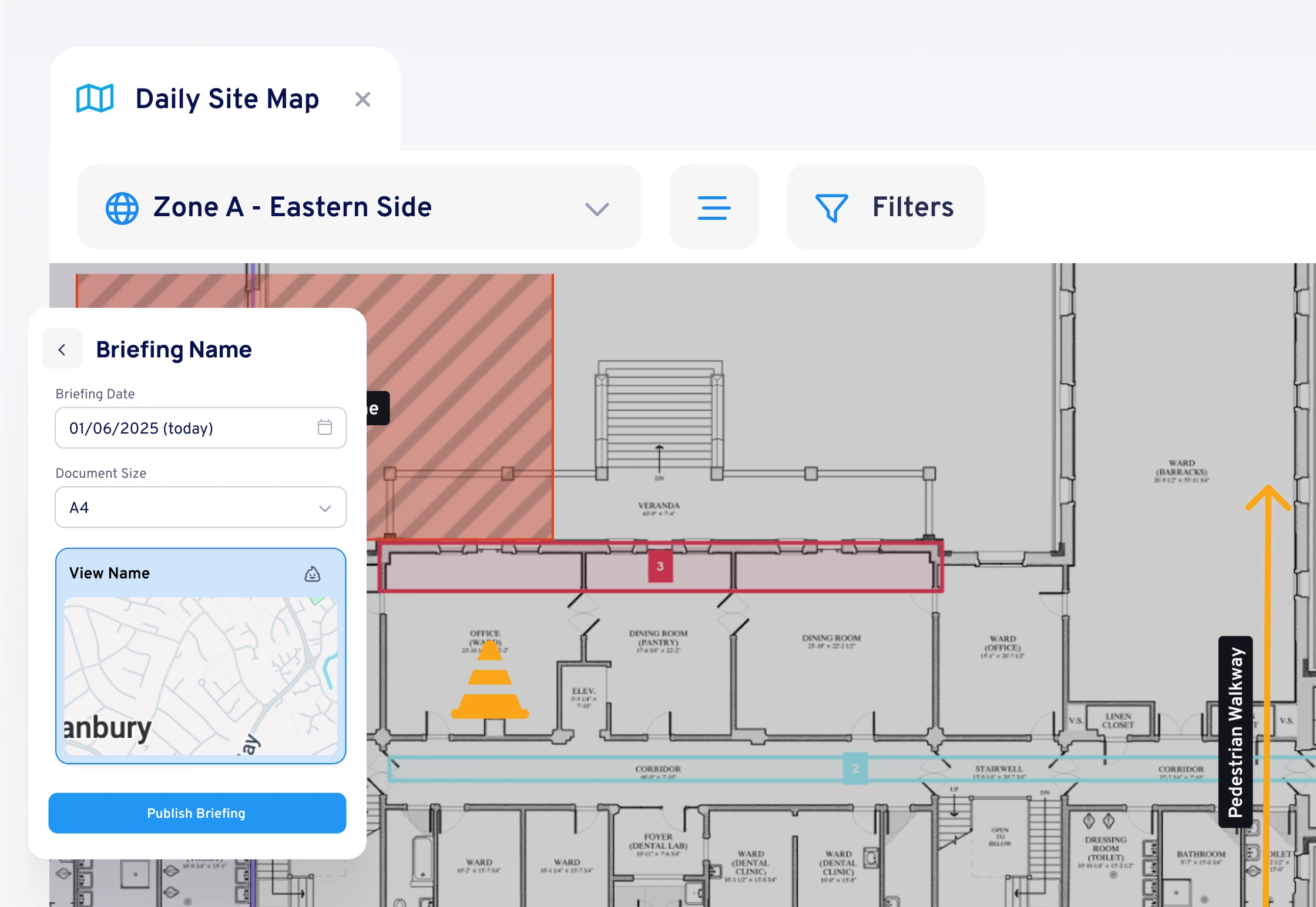
Publish straight from the plan
Generate the daily briefing in one click. When the plan changes, the briefing updates with it.
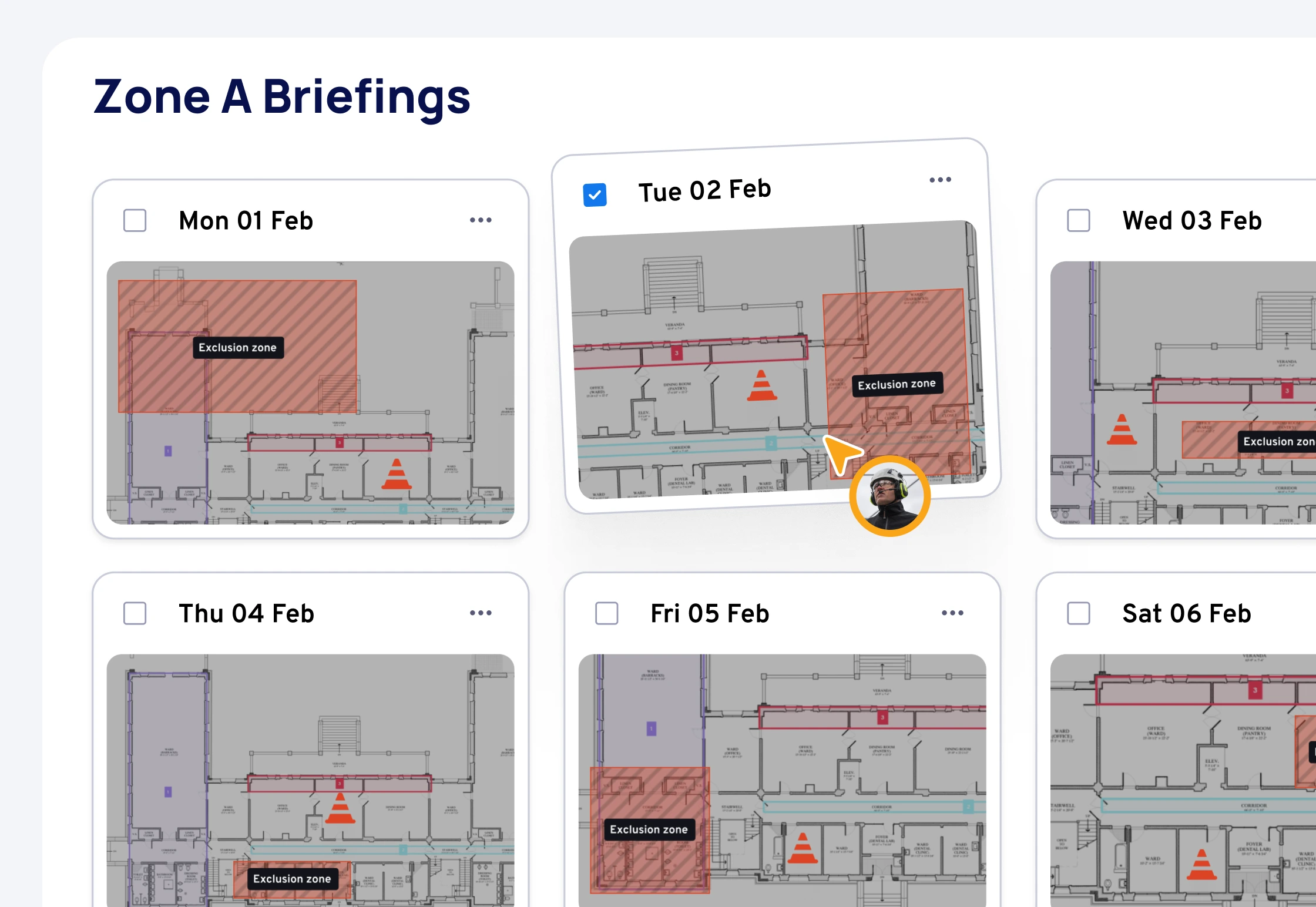
Put the brief in your crew's pocket
Share by URL, QR code or integrate with your site operations tool.


